

Part 6 - Fleet analytics example
In part 2, we are utilizing implicit for each functionality in calculation tool. That functionality makes it easy for us to create one calculation and run it upon all equipment instances of the same type. But, if we want to gather data from various equipment instances and then consolidate some calculated data to be put somewhere else. In the software industry, this kind of scenario is often called fleet analytics.
This part gives examples of how calculation tool can be used to make a fleet analytics system. We will calculate average power consumption of all the pumps from various sites.
Defining parameters
To gather data from multiple instances of the same type, we need to use type array in our code. For this purpose, we need to set the ArrayDimension property of the parameter. In the code editor it can be done as follows.
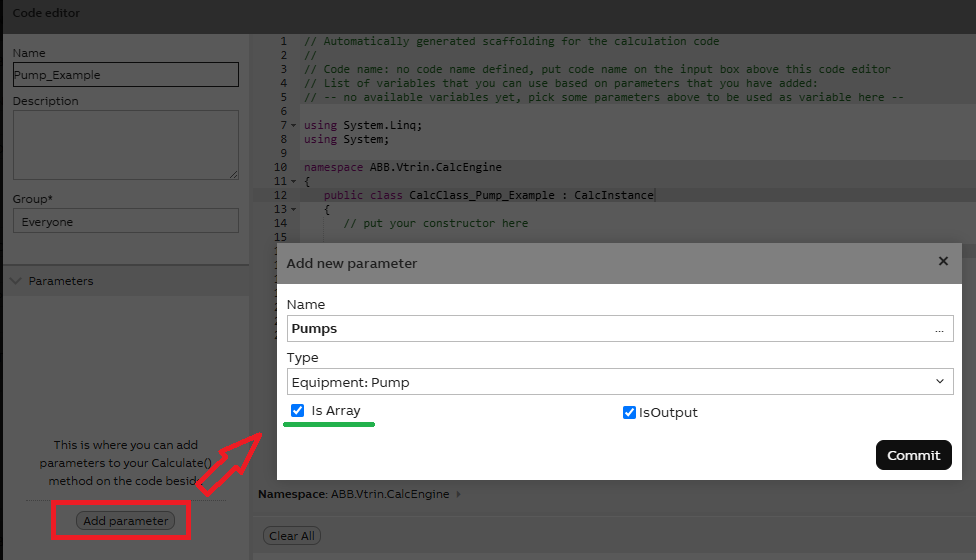
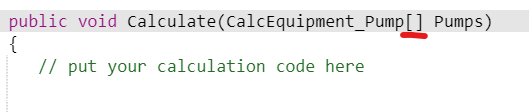
Now in the code editor, the Pumps parameter is presented as an array of CalcEquipment_Pump like below:
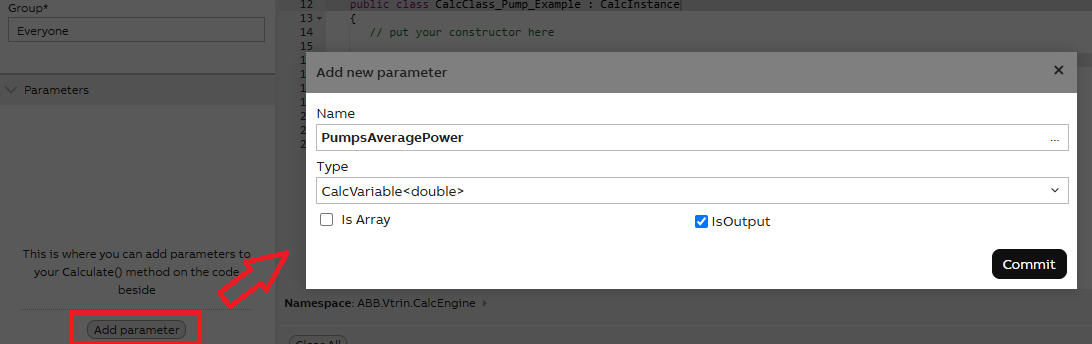
After this, we also add our variable where we store the calculated value, as shown below:
Mapping parameters
After we have defined the parameters in the code editor, we still need to map the Pumps parameter and the variable. This is done in the calculation editor window.
Mapping Equipment parameters
To map the Pumps parameter, we configure settings simply as shown below:
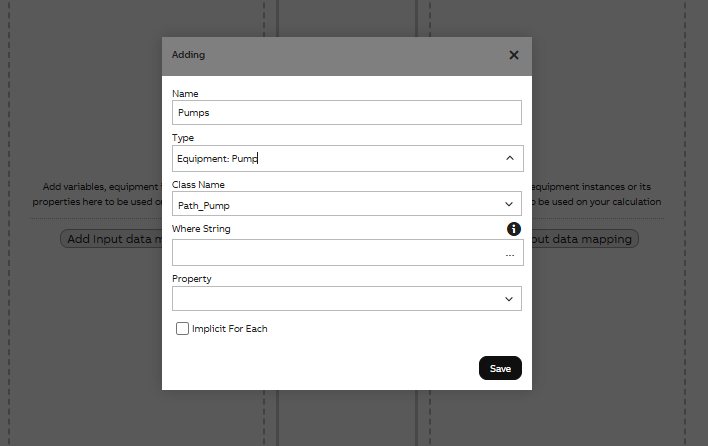
This will map Pumps to all instances of Path_Pump class, meaning all instance of Path_Pump class will be the array elements of Pumps.
Mapping Variable parameters
ArrayDimensions property also works for variables. Please see example below.
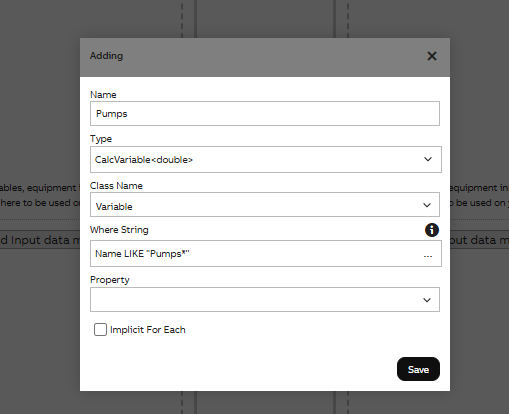
In this example, we are mapping to Variable class and adding a Where String. If, for example, we have variables named Pump1, Pump2 and Pump3, mapping it with the Where String Name LIKE "Pump*" will result in all three of them being mapped as an array in our Pumps parameter.
Writing the code
Lastly, we will write the code as shown below:
public void Calculate(CalcEquipment_Pump[] Pumps, CalcVariable<double> PumpsAveragePower)
{
  // put your calculation code here
  double powers = 0;
  foreach(var pump in Pumps){
    powers += pump.Power.First.Value;
  }
  PumpsAveragePower.First = powers / Pumps.Length;
}
In the code we can simply loop over all the pumps equipment. Within the loop we can get the value of all its properties for us to do fleet calculation with.
We then store the result in PumpsAveragePower. We can map PumpsAveragePower to either a Variable or a historized equipment property. The ArrayDimensions property also works for variable.
Updated 2 months ago